Tactility's second year
The Tactility community and I have been working on many aspects over the past year: devices, apps, quality-of-life features for developers, and much more. Let’s take a close look.
How it started
At the end of 2023, I got inspired by Flipper Zero and decided that there should be an application platform for ESP32 devices. I wrote about this in my previous post, which explains its roots and past progress.
Now, two years later, the project has come a long way toward realizing that goal.
How it’s going: Platform growth and usability
A lot has improved in the past year, including support for more than 20 new devices. Counting incubating implementations, the total is now nearly 40. Since this week, there’s also support for the newer and faster ESP32 P4 chip. Various quality-of-life improvements were added and many additional apps have become available, but when you start the latest Tactility, the most obvious change is the switch to dark mode:
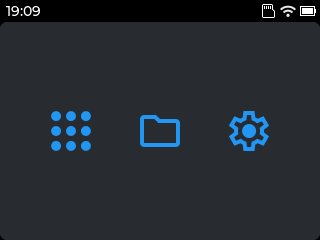
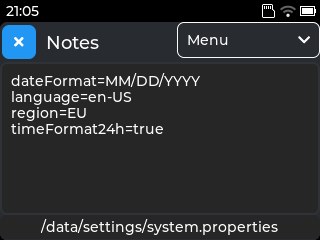
As you can see, the launcher itself didn’t change much, but what did change a lot was the amount of available apps!
Apps
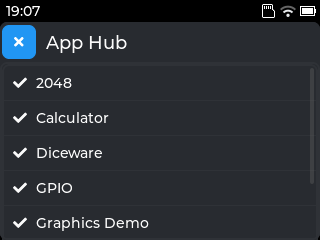
About a dozen apps were added, including a couple of internal ones that are now available as downloadable/installable external apps. The most exciting new app is the App Hub: a simple “app store” with downloadable applications. All of them are open source:
Applications have been supercharged with a new app file format: Much like on Android, a single application file contains all the assets, and all the binaries for the supported microcontrollers. Thanks to this feature, building and developing apps is now easier and less error-prone than before.
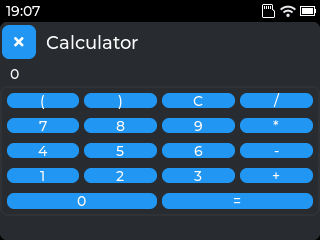
Diceware is one of the new applications that makes use of the asset bundling: it contains a dictionary that is used to generate passwords. Some of the other additions include: a calculator, the game “2048”, a serial console, off-grid chat and more.
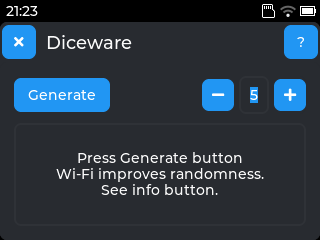
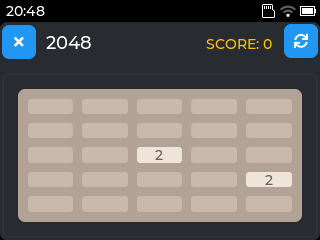
Along with several settings apps, the Wi-Fi management is completely renewed. This is partly because of the introduction of devices with very small screens.
UI Scaling
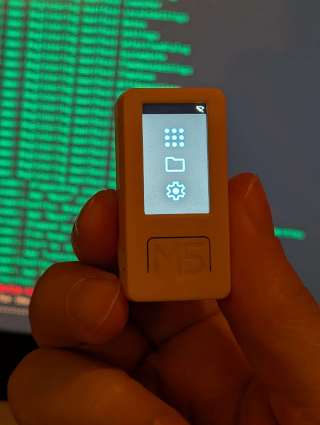
During the development for the Cardputer, I found that many apps didn’t work well on its small screen. I needed to find a way to scale buttons and other controls down, so that I could fit more of them inside an app.
Because of that, UI scaling was introduced: when the display is smaller, the UI scales down with it. While still evolving, the scaling system makes almost all apps usable on the Cardputer.
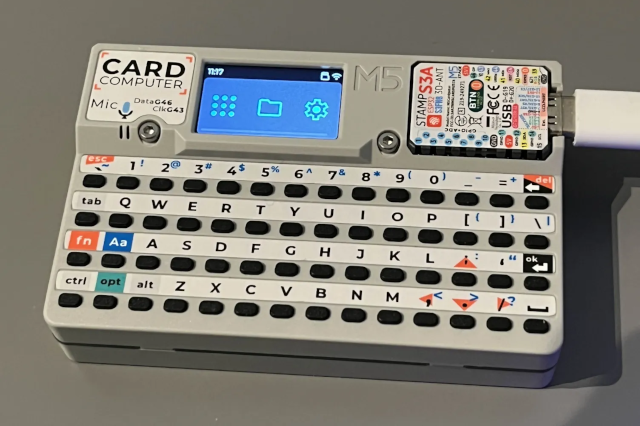
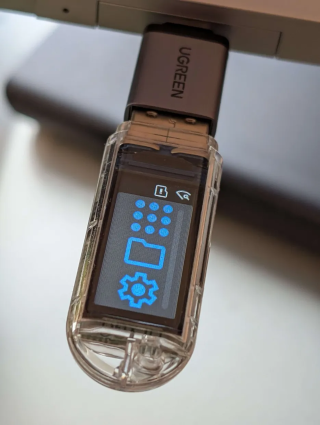
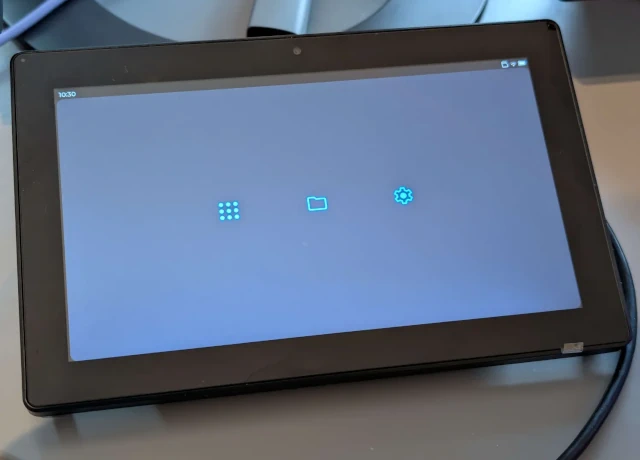
This is only the start, as I’m looking further into improving the UI on all sorts of devices, including 10” displays:
To make all these apps happen, I’ve worked a lot on improving the workflow for app development.
Development
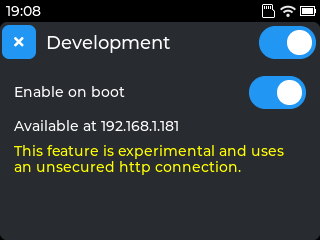
Another new app is called “Development” and is accessible via the Settings menu. It’s inspired by Android’s adb:
It allows a developer to install and run applications remotely over Wi-Fi. This makes the code-build-run cycle much faster.
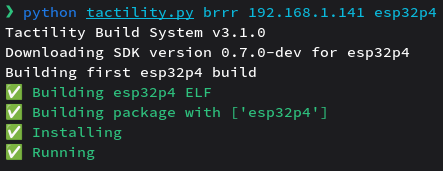
Building, installing and running an application remotely can be as fast as 10 seconds.
Developers use the tactility.py Python script to talk to the ESP32.
Just as tooling for app development is important, so is the tooling for operating system development.
Automation
A lot of actions related to releasing required manual intervention. Whether it was Tactility firmwares, the SDKs or the apps: it was tedious and fully manual. And the problem got bigger as more devices, apps and features were being added.
Now, when Tactility code is merged, the firmwares become automatically available on the Tactility installer website. The SDKs also become automatically available to app developers in the same way. Apps are automatically bundled for delivery to the CDN, but they’re not uploaded automatically yet.
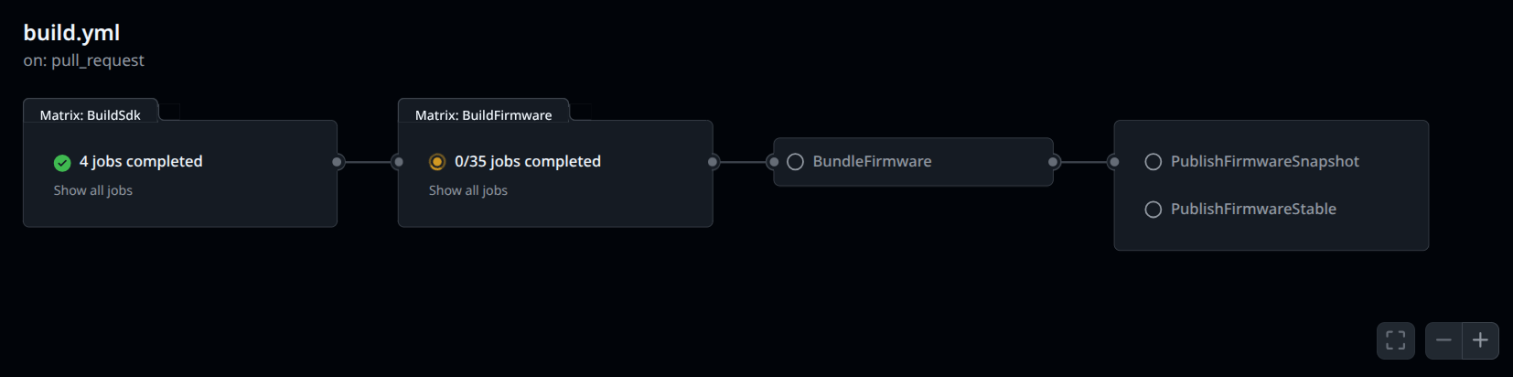
It took a lot of work to put it all in place, but it’s paying back already.
Before, I felt pressure to make new releases in order to share progress with the community. Thanks to automation, that pressure has been reduced considerably. Every new feature now automatically becomes available via new firmware downloads, within an hour after development has finished.
Freeing up that tedious manual work allows me to focus on more important things. And I’m not just saving time: it also enables the community to try out new features quicker!
Internal tech
There have been a lot of internal changes. I’ll explain some of the most notable ones:
Configuration
It used to be difficult to deal with Wi-Fi settings and settings for other services: every time you’d flash a new firmware during development, it would reset these settings. I would work around this by manually changing these configurations in the project, but it was tedious to do so and they would sometimes accidentally be merged into the main project code. To fix this, I implemented provisioning from SD card: You can now have certain configuration files on an SD card to automatically configure the operating system. These files get imported at boot.
Core Driver technology
APIs for “core” drivers were introduced and are currently available for displays and touch input. When you use them, it disables the desktop and LVGL rendering systems, and gives a developer more direct access to the hardware.
This is intended for game development where rendering performance matters: LVGL and the GUI have limited performance and take up a decent chunk of memory. Now that developers can disable those layers of the operating system, they gain extra resources to develop high performance applications.
Language support and diagnostics
Applications used to be written in C exclusively. Thanks to some special tricks, I’ve managed to put some C++ support in.
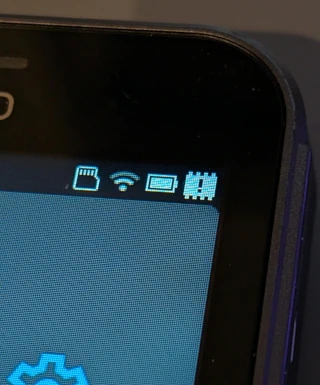
Another useful feature is the addition of a topbar icon that warns when the device is low on memory. This is mainly useful on ESP32 devices that don’t have external memory.
It’s now possible to provide translations for apps. This is not widely implemented yet across apps and currently only available for internal apps.
Sponsors
I’m grateful that several companies agreed to sponsor the project. Some are providing hardware while others provide services:
I’d like to thank these companies:
- CLion for providing an “All Products Pack” license
- Elecrow for providing devices and peripherals
- LilyGO for providing devices
- M5Stack for providing devices and peripherals
- unPhone, Hamish Cunningham, for providing an unPhone
Cloudflare gets a special mention as I’m using the free tier for DNS proxying and their CDN.
Special thanks & closing words
In my closing words, I want to thank NellowTCS and Shadowtrance especially for their dedication in implementing many devices and apps over the past 2 years, and I’d like to thank everyone else who contributed code or in other ways! Your input and contributions have been immensely valuable! Lastly, I want to thank my wife for reminding me to eat whenever I got too engrossed in the project.
If you have questions, feel free to join the Discord community or send me an email.